New article
Recently updated
Restoring previous Document versions

Who is this article for?Users who need to reinstate an older Document version.
Document Management access is required.
Version management is an important tool when maintaining a large Document repository. This article shows you where to find and restore previous Document copies.
1. Restoring versions
To restore a previous draft:
- Open Documents.
- Select Document Management.
- Choose Manage Documents.
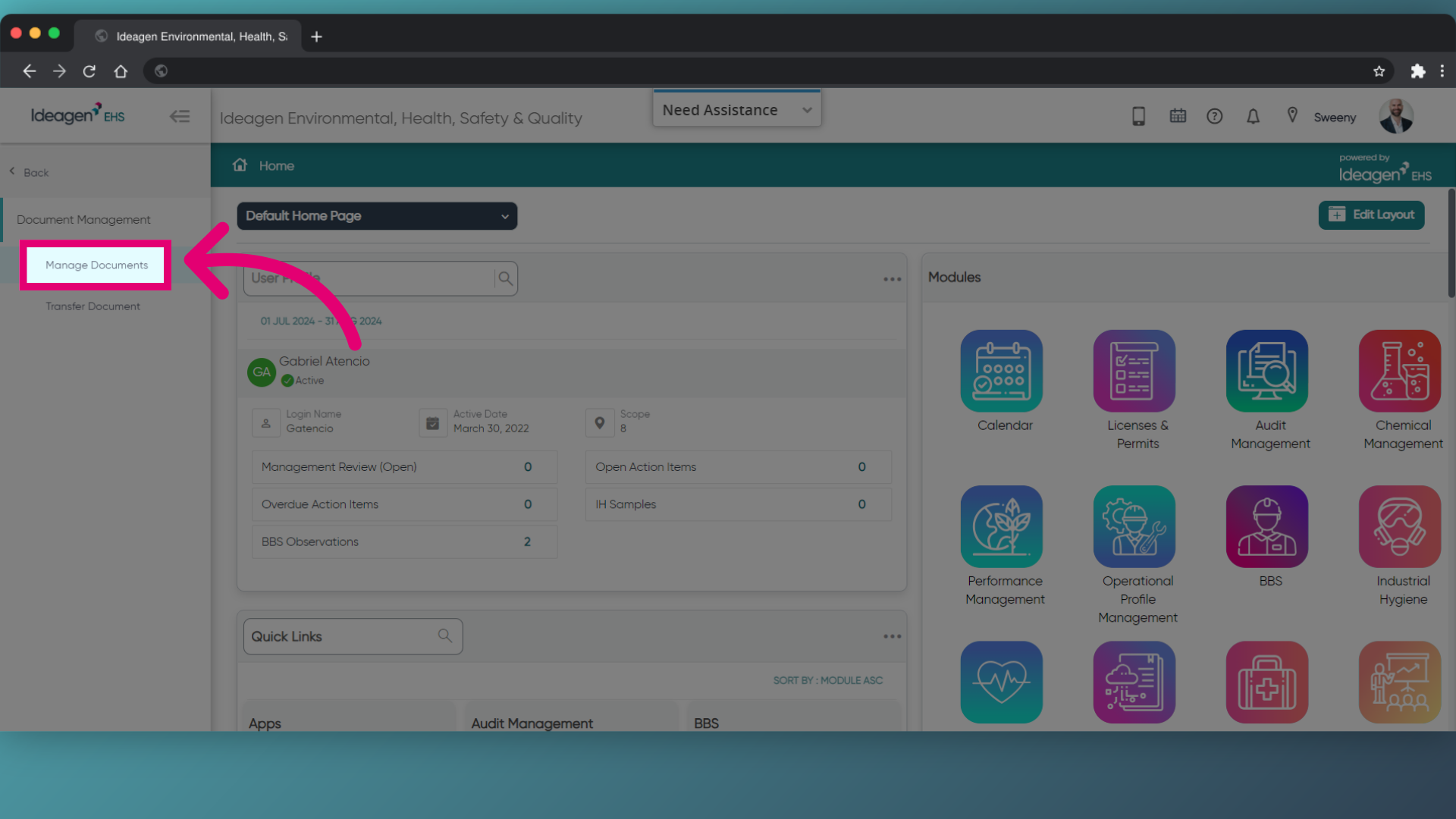
- Find the Document you need.
- Open the Final version.
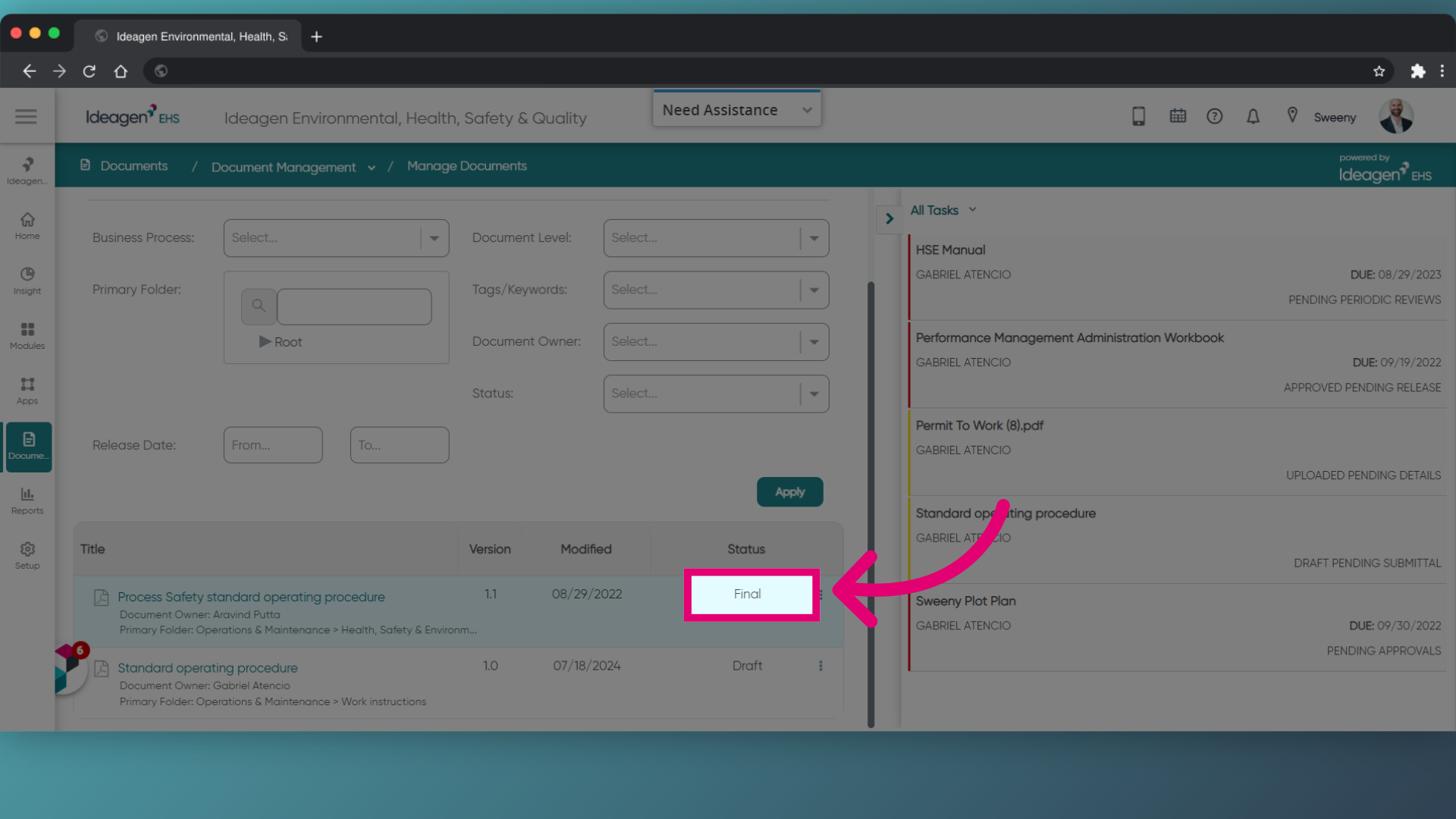
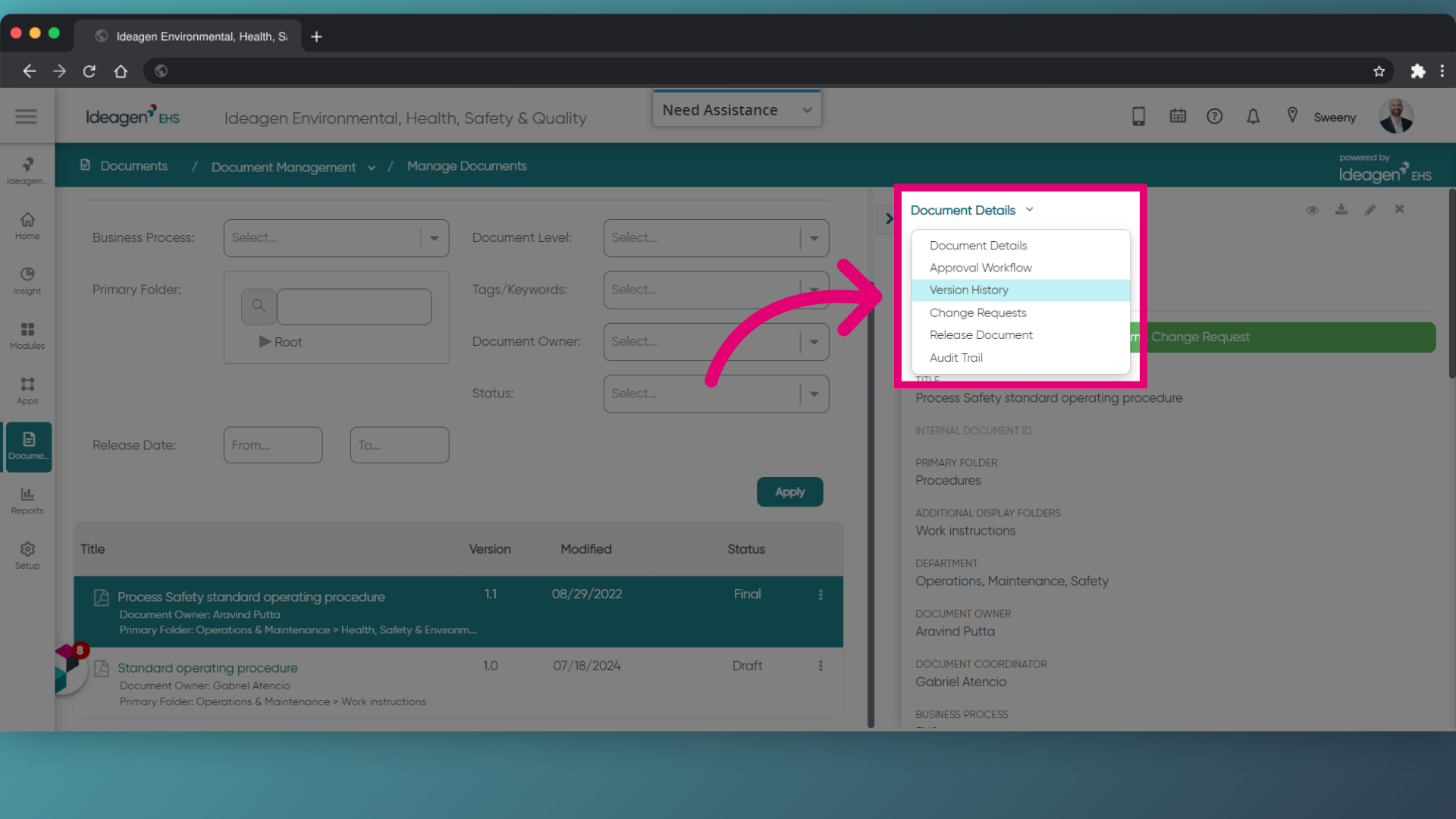
- Click Document Details.
- Select Version History from the dropdown.
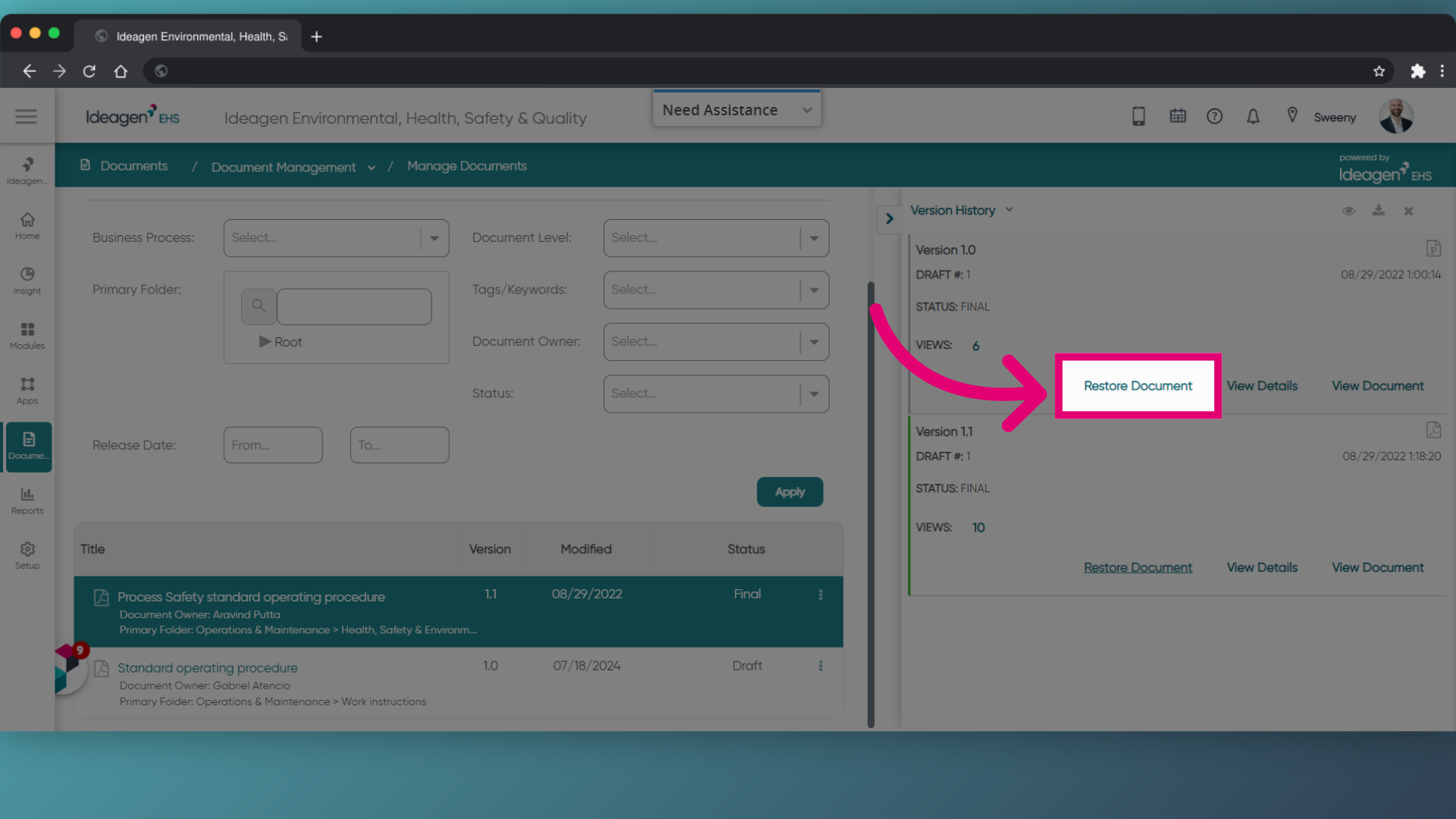
- Find the version you want to restore.
- Click Restore Document.
Not seeing the option?
If you don't see the option, it's because you are not the Document Owner or Coordinator and need to contact them to restore a previous version.
- Enter the Reason for Change.
- Click Continue.
- Click OK.
The system will automatically pick the restored version's Document file and allow the creation of a new version.
From here, you can fill mandatory fields and click Save.