


New article
Recently updated
Using 26.4 Risk Assessment release notes

Who is this article for?
Assessors who want to learn about the new Risk Assessment release.
No elevated permissions are required.
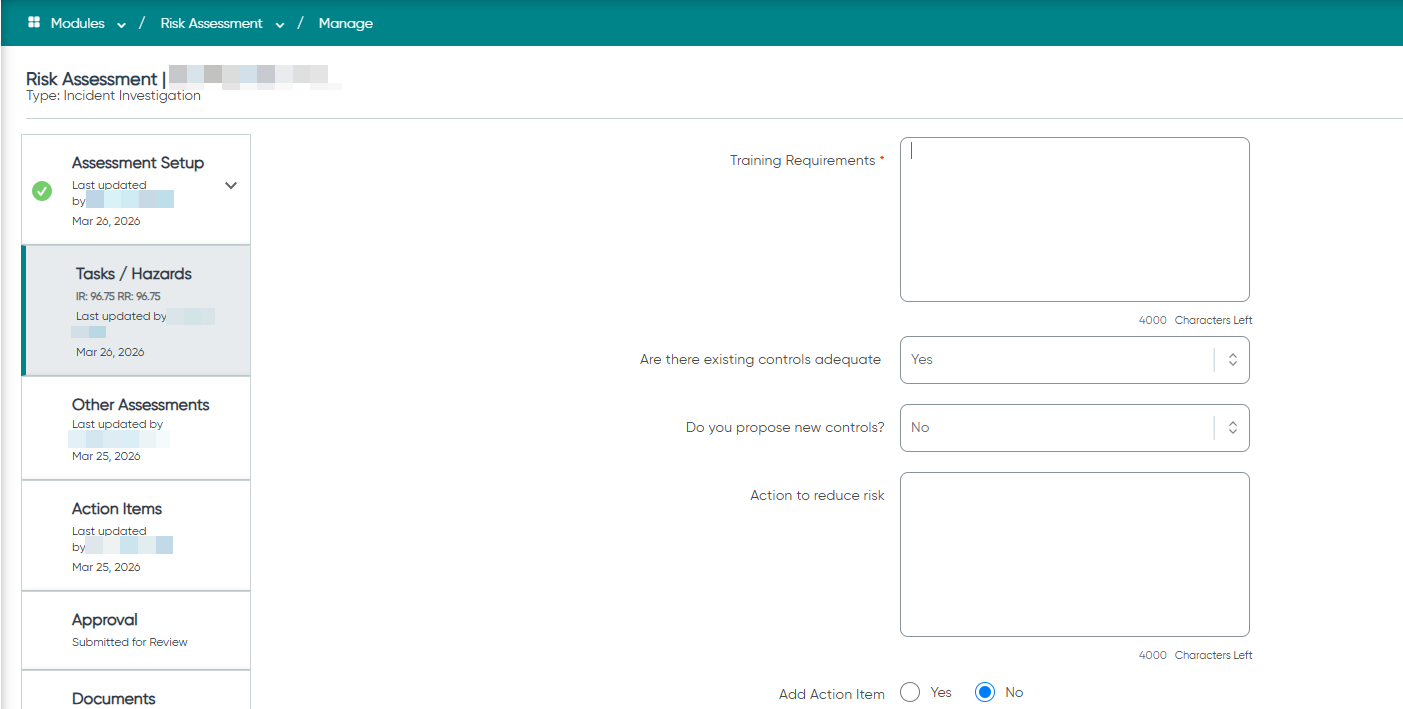
Risk Rating screen: UI improvements - The Existing Control Measures and Further Control Measures fields now feature larger default sizes, higher character limits, and can be resized by users for better usability.
Understanding the enhancement
Previously, the Existing Control Measures and Further Control Measures fields displayed only four visible rows, requiring you to scroll within a small window when entering longer content. This made reviewing and editing detailed risk assessments cumbersome.
The enhanced fields now provide more visible space and direct control over field size, making it easier to read and edit longer entries without scrolling inside a cramped window.
Working with the enhanced fields
Both control measure fields now include the following improvements:
- Default visible row height increased from four rows to 10 rows
- Maximum character limit increased to 4,000 characters
- Remaining-characters counter reflects the 4,000 limit
- User-resizable dimensions — drag to adjust height and width of each field
The resizing behaviour matches the Finding Description control used elsewhere in the product.
Note: Only the Existing Control Measures and Further Control Measures fields on the Risk Rating screen are affected. All other text area controls retain their existing default row height, character limit, and non-resizable behaviour.
Configuring field visibility
The existing Hide/Show configuration for both fields continues to work unchanged. No additional configuration or custom setting is required — the enhancement applies automatically at product level for all customers.