New article
Recently updated
26.5 App Builder release notes

Who is this article for?
Users who want to learn about the new 26.5 App Builder release.
No special access or permissions are required.
Features
Scanning an app's QR code with your device camera
Previously, scanning an app's QR code relied on the in-app scanner.
The QR code generated for an app routes to a specific existing record, so it cannot take users straight to a blank new record.
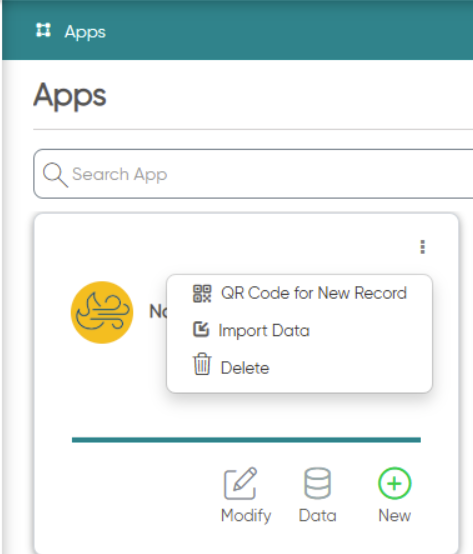
This enhancement allows mobile users to scan an app's QR code with their device camera and start a new record right away:
- The QR Code for New Record option in the app card menu (⋮) on the Apps home page generates a downloadable QR code for that app and location.
- Scanning the code with the device's native camera opens the mobile app. After login, the user lands on a blank Create New Record screen for that app and location, much like a notification link.
- The QR code no longer includes a record ID, so it opens a new record instead of an existing one.
- The code carries the app, location, level and module, so the new record is created against the correct location. By default, it uses the location from which the code was generated. If no location is included, the user lands on their default location.
- The same link can also launch the app as a deep link from external applications, not only from a camera scan.